
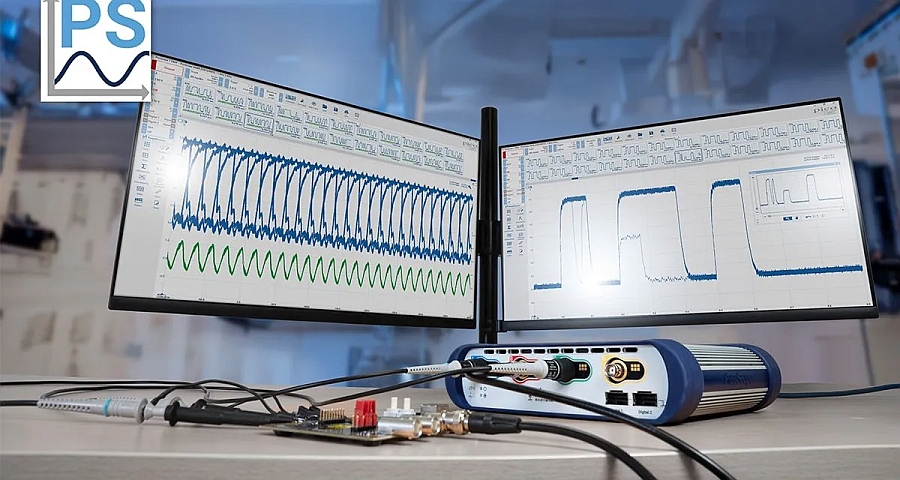
- Version 7.2 of PicoScope software from Pico Technology introduces several enhancements designed to facilitate the analysis of analog and digital signals.
- This update notably includes a new waveform overlay display, advanced filters for serial bus decoding, visual indicators for automatic measurements, and expanded time-tapping functions.
Waveform Overlays for Analyzing Intermittent Behavior
With the Waveform Overlays feature, PicoScope 7.2 allows you to display multiple superimposed signal acquisitions in the same window. This representation creates a visual envelope of a signal’s nominal behavior, making it easier to identify occasional variations such as intermittent glitches, jitter, or transient anomalies.
This approach, comparable to advanced digital persistence, makes it easier to examine signal repeatability and detect deviations that might not appear during acquisition-by-acquisition visualization, particularly in signal integrity analyses.
Serial Data Filtering
The software now includes a Serial Decoding Advanced Filters tool designed to accelerate the analysis of large serial data captures. Users can configure filters to identify specific packets, data types, or indexed ranges, based on criteria such as frame length or specific content.
These filtering functions are available for all 40 serial protocols supported by PicoScope 7, allowing users to target relevant information without manually scanning the entire decoded stream. This enhancement is particularly relevant for applications involving long or repetitive captures, such as debugging embedded communication buses.
Visual Indicators for Automatic Measurements
PicoScope 7.2 also introduces Measurement Indicators, graphic markers positioned directly on the waveforms. These indicators show the exact points used by the software to calculate automatic measurements, such as rise time or frequency.
This visualization allows the user to understand precisely how the results are obtained and to verify their consistency with the observed signal, which can be useful during analyses requiring a detailed interpretation of time or frequency parameters.
Extended Time Marking of Acquisitions
The new software version improves timestamp management. Capture Timestamps now indicate the date and time each acquisition was received by the computer, with resolution to the second, and can be displayed or saved with the data.
For the PicoScope 3000E and 6000E series oscilloscopes, Trigger Timestamps are also available. They allow for the precise measurement of time delays between successive events, relative to the first or previous acquisition, with a resolution of up to 200 ps depending on the instrument configuration. Timestamps can be exported in CSV format to facilitate their use in external analysis or reporting tools.
Functional Workflow Enhancements
PicoScope 7.2 also includes several improvements designed to simplify software use. The Pass/Fail limit system now allows triggering specific actions, such as automatically saving a file, based on criteria applied to given measurements.
A Channel Deskew function has been added to compensate for time offsets due to different probe cable lengths, ensuring precise alignment of multi-channel signals. The software also offers finer control when entering parameters, via coarse or precise adjustments using the mouse wheel, as well as a factory reset button accessible from the toolbar.
Availability
PicoScope 7.2 is offered as a free update for all PicoScope instrument users. The software is compatible with Windows, macOS, and Linux operating systems.